
DIRECTORY INTEGRATION & LOGIN FEDERATION
LastPass and Google Workspace
Integrate your Google Directory with LastPass to enhance business security while simplifying access for employees.
Save time and resources with federated login

Simplify user access
Alleviate login frustrations by connecting employees to their work while leveraging technologies you already use.

Eliminate the master password
Simplify access and boost activity by requiring employees to only remember their user directory login.

Automate identity management
Onboard and offboard automatically to save time and resources while scaling password management across your business.

Increase adoption
Provide employees an immediate, simple way to access the credentials by eliminating the enrollment process.
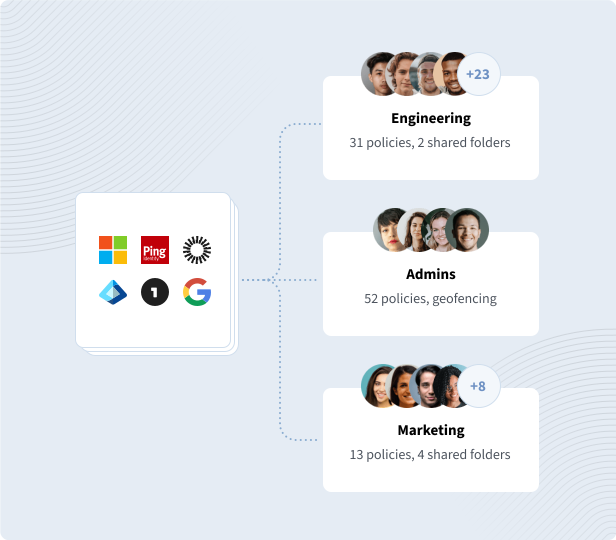

Secure yet simple access
Employee password practices are the weakest point in a company’s security, with 85% of breaches involving a human element, like reused or weak passwords. Configure LastPass Business with Google to automate and scale password management – without adding another password for employees to remember and manage.

Use Google Workspace to log in to LastPass
We have added Google Workspace (previously G Suite) as an identity provider (IDP) for our directory integration and federated login services. Our cloud-based federated login enhances security while improving employee convenience, allowing users to access their LastPass vault with just their Google Workspace login.
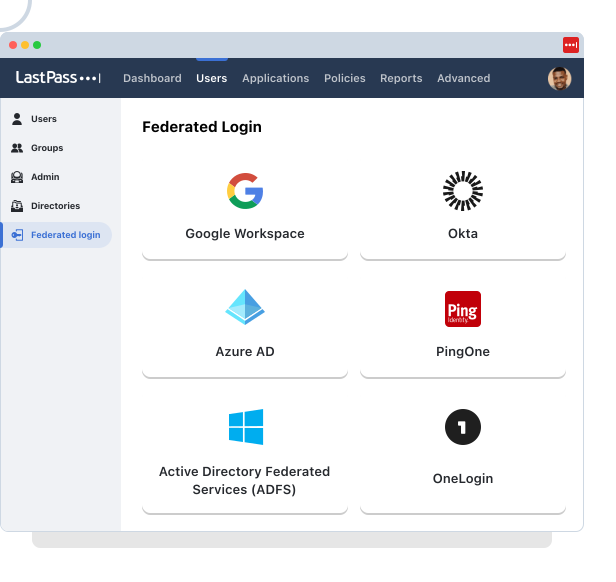
To establish federated logins, you need to first initiate a directory integration between LastPass and Google. Your IDP will now be used as a source of truth to verify a user’s identity prior to granting access to LastPass, simply increasing endpoint security.
Once instituted, you can set up a federated login with LastPass. This produces a seamless login experience, providing user’s access to their LastPass vault using just their Google credentials – eliminating the need for more passwords.
Unsure how to integrate Google Workspace to LastPass? LastPass support can provide you with step-by-step instructions to establish federated login.
Integrate your source of truth and simplify access to LastPass with your Google cloud identity.
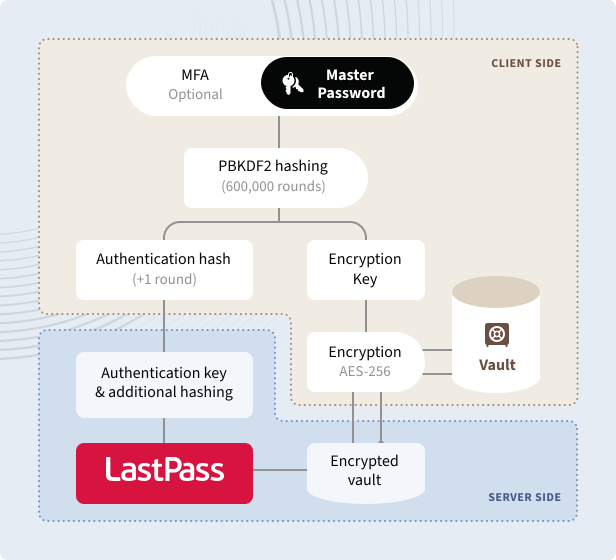
Our zero-knowledge infrastructure ensures neither LastPass nor your IDP possesses enough information to access a user’s vault. Instead, we generate special credentials for a federated login and divide it into multiple keys, all of which are stored separately and only combine once a user has input their IDP password and verified their identity.

Zero-knowledge infrastructure
Your password vault and data are encrypted and decrypted at the device level. So, your IDP password will never be shared with our servers.

A uniquely protected login
Even if one login key is breached, the others are protected elsewhere. Without all keys, the user’s vault is never accessible, making data breaches virtually impossible.

Strongest encryption standard
AES-256 encryption with PBKDF2 SHA-256 and salted hashes to ensure complete account security in the cloud.
Explore integrating your Google Directory with LastPass
LastPass supports integration with all major identity providers

Microsoft™ Active Directory
A configurable, lightweight client that syncs user profiles from your on-premise AD.

Microsoft™ Entra ID
Through a SCIM API, our Microsoft Entra ID endpoint syncs user profiles from your consolidated cloud directory.

Google Workspace
Automate and scale password management, while saving time for IT, with Google Directory Integration.


PingOne/PingFederate
Manage and provision both users and groups by establishing integration with PingOne or Ping Federate.

OneLogin
Manage onboarding, offboarding, and group assignments by utilizing a SCIM API for your OneLogin directory.

Custom API
Larger enterprises with complex onboarding needs can take advantage of our flexible, powerful API.
Explore other LastPass features

Federated login
With federated login, employees can access their LastPass vault using just their directory credentials.
Explore federated login
Single sign-on
Reduce the number of passwords you need to remember by using LastPass single sign-on (SSO).
Learn more about SSO
Passwordless access
Simplify your employees’ login experience by removing password-related friction.
Explore passwordless
Admin controls
Manage directory integration, users, policies, reporting, and more from a single admin dashboard.
Explore admin controls